Controller drift happens when your thumbstick reports movement you never made. The cause is almost always physical wear inside the stick module: dirt, debris, or a worn sensor that no longer reads a clean center position. No firmware update or settings tweak removes the wear — they can only mask it.
The fix ladder is short. Clean the stick, recalibrate it, check for software causes, and then replace the stick module or the whole controller. The good news: drift is one of the most repairable controller faults, and the parts are cheap. The bad news: it will come back if the underlying wear pattern continues.
What actually causes stick drift?
Most modern controllers use potentiometer sticks. A potentiometer is a small sensor that reads the stick's position by measuring resistance along a track. A wiper rides that track as you move the stick. Drift appears when the wiper no longer sits cleanly at the center point, so the controller reports a small constant push in one direction.
Three things push that reading off center. First, debris: dust, skin oils, pocket lint, and crumbs work their way past the rubber boot and onto the sensor track. Second, wear: the wiper and track are physical parts, and thousands of hours of play grind them down unevenly. Third, manufacturing tolerance: two sticks from the same production batch can wear at different rates, which is why one controller drifts in a year and its twin does not. We covered a connected angle in PlayStation 5 vs Xbox Series X in 2026: Which Console Should You Buy?.
Stick design matters too. Some controllers use magnetic, contactless sensors — often called Hall effect or TMR sticks — which read position with a magnetic field instead of a rubbing wiper. Without physical contact, there is no track to wear and far less debris sensitivity. That is why contactless sticks are marketed as the drift-resistant upgrade path, and why repair-minded players swap them into older controllers.
How do you confirm it is drift and not something else?
Confirm before you open anything, because several software issues impersonate drift.
- Run your platform's stick test. Every console and most PC launchers have a screen that shows stick position as a dot or crosshair. Watch it with your hands off the controller.
- Check deadzone settings in the game or console menu. A deadzone is a small ignore-zone around center. A game with a tiny deadzone will show drift that a wider one hides. Raise it slightly and see if the movement stops.
- Rule out wireless interference and low battery. Some controllers report jitter when the connection is unstable or the battery is weak.
- Update firmware. Stick calibration and deadzone behavior can change in controller updates.
- Clean the stick. Work isopropyl alcohol around the base of the stick under the boot, rotate it fully in circles for several seconds, and let it dry. Re-test.
If the test screen still shows movement with clean hands, fresh power, updated firmware, and a cleaned stick, you have genuine hardware drift. The reading does not lie.
What can you fix at home — and what should you not touch?
Your first two options cost almost nothing. Cleaning, described above, resolves a real share of drift cases, especially the kind that appears suddenly after a spill or a dusty shelf. Recalibration is the second: some controllers let you re-teach the center point in software. That fixes a stick whose center drifted slightly but whose sensor is still healthy. It does not fix a worn track, and a recalibrated worn stick usually drifts again quickly.
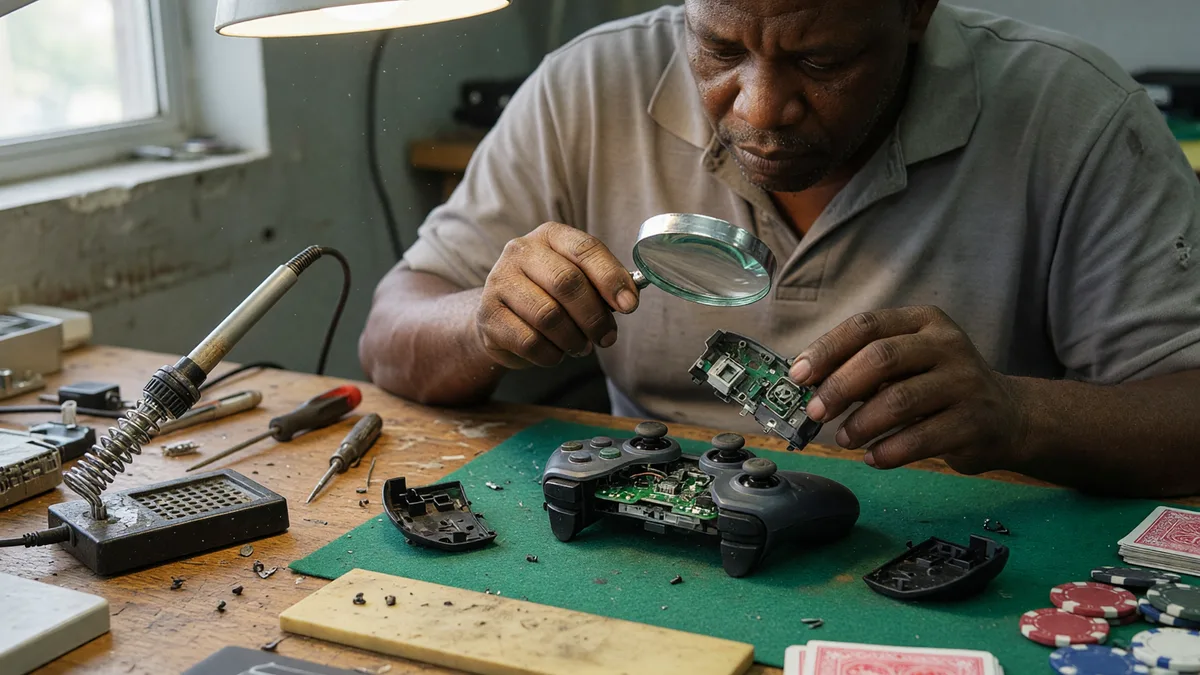
The third option is opening the controller. Replacing a stick module is a solder-free job on many modern controllers, because manufacturers build the sticks as plug-in modules. You need a small screwdriver set, a plastic pry tool, and a replacement module matched to your exact controller model. Disassembly varies by model, so follow a teardown guide for your specific controller rather than a generic one. If your controller's sticks are soldered to the board, this becomes an iron-and-skill job, and a repair shop is the honest recommendation.
Two cautions before you open anything. Opening the shell can void a warranty that would otherwise have replaced the controller free, so check your warranty status first. And lithium batteries live inside these shells; never pry against or puncture a battery pack.
Which controller brands hold up best?
Honest answer: every major controller line has produced drift complaints, and no brand is immune. What differs is how each handles it. Standard first-party controllers across the current console generation use conventional potentiometer sticks, so they share the same wear mechanism. Some manufacturers now sell editions with contactless sticks, and third-party makers have pushed hardest on that front.
Third-party and pro-oriented controllers occupy a different corner of this market. SCUF, for example, builds custom controllers for PS5, Xbox, and PC, and its marketing emphasizes pro use — the company says its controllers have been used by championship rosters in the Call of Duty League and highlights its patented paddle control design. Those controllers cost more, and higher price buys customization and features, not a stated immunity to wear. Treat any durability promise from any maker as marketing until you can verify it from the warranty terms and the stick technology actually installed. For related coverage, see PS5 Pro: What the Upgraded Hardware Actually Means for Your Games.
What this means for your wallet: the cheapest long-term path is usually a controller with replaceable, plug-in stick modules — first-party or not. When drift arrives, you fix a ten-dollar part instead of replacing a seventy-dollar controller.
When should you replace instead of repair?
Replace the controller when the repair math fails. If a replacement module plus tools costs close to a new controller, or if the shell, triggers, or battery are also worn, replacement wins. Replace it when the controller is still under warranty — a free exchange beats any DIY job. And replace it when you simply do not want to open hardware; there is no shame in that, and a working spare controller is useful anyway.
Repair makes sense when the controller is out of warranty, the sticks are modular, and the rest of the unit is healthy. It also keeps a working controller out of the bin, which is worth something on its own.
One last honesty note: drift is annoying, but it is wear, not sabotage, and no cleaning ritual or settings trick prevents it forever. Buy for repairability, keep the sticks clean, and expect to service the hardware you play hard. If real-money gaming is part of your life at all, remember it is for adults only and rules vary by jurisdiction — but that is a different article. This one is about keeping your thumbs honest.
What we established — and what remains unknown
The evidence supports this chain: drift comes from the physical wear and contamination of potentiometer stick sensors; cleaning, recalibration, and module replacement address it in that order; and contactless (Hall effect or TMR) sticks remove the main wear mechanism by design. What nobody can tell you from a spec sheet is how long your particular sticks will last, because wear depends on your grip, your games, and the tolerances of your specific unit. The practical takeaway is to buy hardware you can open, and treat a drifting stick as a parts problem, not a dead controller.